Back
to the table of programs
| ASFIT |
ASymmetric
top FITting program
|
This is an easy to use asymmetric rotor fitting program. ASFIT
has been in existence for over 40 years and some features of the most
recent version have been described in Z. Kisiel and Ewa
Bialkowska-Jaworska, J.Mol.Spectrosc. 359,16-21(2019), which can be used to acknowledge the use of the program.
ASFIT embodies most features deemed necessary for dealing with an asymmetric rotor problem:
- Watson's reduced asymmetric top Hamiltonian
up to decadic terms, with Wang factorization,
- Reductions A and S,
representations Ir and IIIr (note
the idiosyncrasy that the latter is not IIIl so that
signs of the off-diagonal quartic, sextic.... constants will be
reversed),
- J up to 250, N.lines up to 15000,
the latter can easily be increased by changing NLINES in PARAMETER statements,
- lines can have differing measurement errors
for unequal weighting and fitting of blended lines is supported,
- data can carry annotations, both at the end
of each transition, as well as between transition declarations, in the
form of full comments, or just spacing lines,
- Automatic generation of entries for the
various Q-type bands and the high-J, R-type
bands (see J.Mol.Spectrosc. 177,240(1996) and 178,125(1996)),
- publication type formatting of resulting
constants and cleaned up output of the frequency table for electronic
deposition purposes,
- output of the correlation matrix, stick
diagram of correlation coefficient distribution, contributions to
frequencies, and summary of worst lines in the fit,
- output of the hii
coefficients for identifying the most influential transitions (those
with hii>0.5 are suspicious, those
with hii>0.9 will definitely determine
the fit), and of DFBETAS diagnostics for sensitivity of fitted
constants to transitions in the data set,
- output of a constants file for use by ASROT and of .lin and .par files for use by SPFIT,
- on-line modification of data: line
exclusion, insertion, deletion, as well as on-line decisions concerning
the parameters of fit,
- checks for common dataset errors such as
duplicated lines, incorrect blend specification and split blends.
|
| Some background
references: |
|
| |
|
| The reduced rotational
Hamiltonian: |
J.K.G.Watson in "Vibration
Spectra and Structure" (J.Durig, Ed.), Vol.6, p.1, Elsevier, Amsterdam,
1977. |
| An introduction to the
least-squares fitting of spectroscopic data (seminal tutorial): |
D.L.Albritton, A.L.Schmeltekopf,
R.N.Zare, in "Molecuar Spectroscopy: Modern Research" (K.Narahari Rao,
Ed.), Vol.II, p.1, Academic Press, New York, 1976 |
| Introduction to the hitherto rarely
used, but very useful additional statistical tests hii,
DFBETAS
etc.: |
J.Demaison, J.Cosleou,
R.Bocquet, A.G.Lesarri, J.Mol.Spectrosc. 167,
400-418
(1994) |
| The trick for
computationally cheap derivatives by application of the Hellman-Feynman
Theorem: |
W.F.Rowe, E.B.Wilson, J.Mol.Spectrosc.
56, 163-165 (1975) |
| Calculation of the higher
order matrix elements and plot of distribution of correlation
coefficients: |
Z.Kisiel, L.Pszczolkowski, J.Mol.Spectrosc.
158, 318-327 (1993) |
| |
|
 |
| |
| |
|
| ASFIT.FOR |
The
listing - it is recommended that extension .ASF be used for the
data files, .RES for the results files, and .CON for the constants files for use by
ASROT |
| ASFIT.EXE |
Windows executable |
asfit
|
Linux (Ubuntu v18.04) executable compiled with gfortran (v7) using the command:
gfortran -fno-automatic asfit.for -o asfit
|
| |
|
| |
Examples |
| CB.ASF |
Specimen
data set for chlorobenzene.
NOTE: In some Windows configurations
your browser might want to open the .ASF files directly with MediaPlayer or
another multimedia player, since this is one of the default extensions
for movie formats. The result is of course an error message - in such
case use the SAVE TARGET AS or the SAVE LINK AS option of the browser
(obtained with right mouse click on the link), and only then inspect
the locally saved file with a suitable editor.
|
| CB1.ASF |
Second data set for
chlorobenzene - this one goes up to J=249 for testing PENTIUM
III's etc. Note the use of several types of clarifying annotations,
which are carried over into the output files. |
| BENCH.TXT |
List of
benchmarks for this program + chlorobenzene data set recorded on
various computers: this is really a trivia item reflecting the rapid
development of computers |
| HSSH.ASF |
Some of the first
data which showed that S-reduction is really necessary (read
this note if your browser wants to open this as a multimedia file) |
| T2O.ASF |
Tests various
high-order c.d. terms, in this case reduction-A, representation
Ir (read this note if your browser wants to open
this as a multimedia file) |
| T2O.RES |
Results
file for T2O.ASF
|
| T2O.CON |
Constants
file
produced by ASFIT from data T2O.ASF
for use by ASROT
|
| |
Associated programs |
| LINASF.FOR |
Converts a .LIN
file of SPFIT into a block of frequencies in the .ASF standard. For a complete .ASF file it is still necessary to manually
add the header with values of constants. |
| LINASF.EXE |
Win32 executable |
| SORTAS.FOR |
Sorts transitions in an .ASF file according to many different
criteria. Do not use on data files containing blends, since the
constituent lines may not stay together. |
| SORTAS.EXE |
Win32 executable |
|
|
 |
Back to the
table of programs
| ASROT |
ASymmetric
ROTor predictive program
|
ASROT is a predictive program complementing ASFIT. The program allows calculation of frequencies and/or energy levels for an asymmetric rotor
by using Watson's reduced Hamiltonian in representation Ir,
and
reductions
A and S. Main features:
- J<300
and 91204 lines in the output file (the line limit is partly due to the
now historic use of temporary storage of calculated lines prior to
sorting in frequency),
- calculated lines carry intensity, line
strength, lower level energy, and transition type,
- all data necessary for the calculation can
be input interactively. The input list is quite long so that more often
a pipeline of the type ASROT<DATA.IN is used, where the file DATA.IN contains the necessary input,
- ASROT can use constants files produced by ASFIT,
- Most usefully in our practice: results
files from ASROT can be displayed graphically with ASCP and ASCP_L.
|
|
| |
| ASROT.FOR |
The
listing - it is recommended that extension .ASR be used for the
results files.
This source code dates back to 1972 in many
segments and has been updated (21.03.2014) for smoother compilation with
contemporary FORTRAN compilers (as tested with IVF and gfortran)
|
| ASROT.EXE |
Win32 executable from IVF compilation. This might also execute on a Linux distribution running on an Intel machine (tested with Ubuntu).
|
| TRIAL.IN |
Trial input file, which can be
reedited and used for quick predictions in pipeline mode run with the
command of the type ASROT<TRIAL.IN |
| TRIAL.ASR |
The results file obtained from TRIAL.IN - this can
be viewed with ASCP
|
|
Legacy version
|
| ASR3.FOR |
This is a version of ASROT that will also predict
using representation III of Watson's reduced Hamiltonian. Note
that as in ASFIT this is IIIr not IIIl, so that all the off-diagonal centrifugal distortion constants have reversed sign in relation to IIIl.
This version was only developed up to 1994, when SPFIT/SPCAT turned out
to be more useful for this task, and there are unsolved problems with
transition intensity calculation under some conditions.
|
| ASR3.EXE |
The executable for the above.
|
|
|
Associated programs |
ASRBAND.FOR
ASRBAND.EXE
|
Converter of an abbreviated .ASR file into a .DAT file for use by
gle, such that
it results in an overbar with markers annotating positions of lines in
a band. Caters for reversing bands, up/down markers, longer selected
markers, and choice of quantum number determining marker length.
Documentation is at the top of the program
listing. A similar program, CATBAND, is available for use with .CAT output
from SPCAT.
|
| ASRGLE.FOR |
Converter of an .ASR file into a
data file for plotting a stick diagram of the calculated spectrum with gle. This method has now been superseded by direct gle output from ASCP, but
there are still some options, such as line blending unique to this
program. |
|
|
|
Back
to the table of programs
| ASCP |
Graphical previewer
for spectral predictions generated by ASROT and by Pickett's SPCAT
|
Please note that the currently supported
version is ASCP_L.
Even
though
that
program
is part of the AABS package, it is also
recommended for standalone operation. The notes below are intended to
serve as additional documentation, but the executables now have legacy
status.
We
find this program invaluable, both in MMW and FTMW work. It started
life as ASPEC, which printed the stick spectrum on a band of paper. The
resulting colour graphics version was called ASC, and the name ASCP came
into use for the version, which could display processed output from
Pickett's SPCAT.
The
current version is the most Windows compliant version so far, and has
been tested from W95 up to XP. The default program size is 800x560
points, but it is possible to change this with a suitable configuration
file. The principal features are:
- Display of up to 100000 lines from up to 20
different data sets
- The display can be either a stick diagram or
simulated spectrum or sticks + simulated spectrum. Spectral simulation
can be for zeroth, first or second derivative of Gaussian or Lorentzian
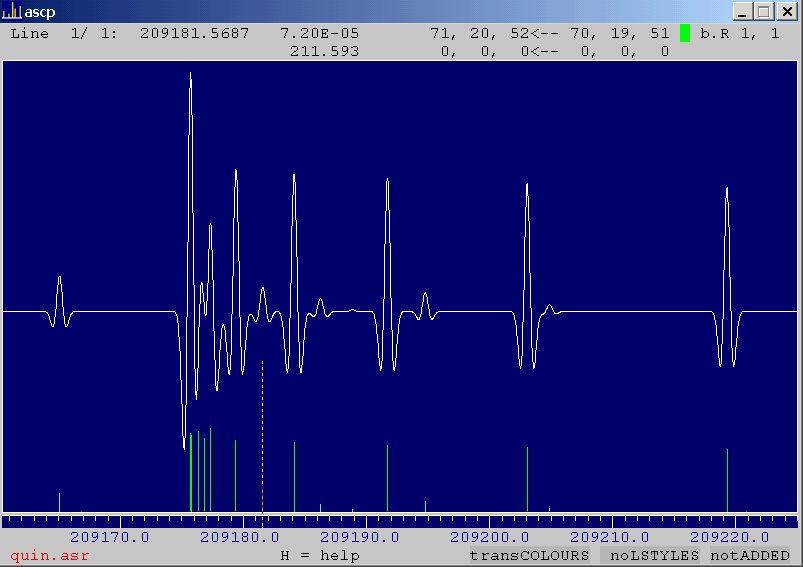
lineshape function - example, and also inclusive of Doppler doubling for jet spectra
- Input of data in .ASR format of ASROT, which can come from ASROT itself, or from SPCAT, as converted from .OUT files with the
program PISORT
- Data files in .CAT format of SPCAT
can be read directly
- Batch input mode for hands-off input and
merging of many data sets
- Filtering of input data sets according to
frequency and intensity, and possibility of outputting the filtered data
- Different data sets can be displayed in
selectable linestyles and overall relative intensity
- Complete horizontal and vertical
scrollability
- Movable cursor displays parameters of lines
currently under the cursor (all six SPFIT/SPCAT quantum numbers per
energy level, transition frequency, intensity, lower level energy)
- Subsets of transitions can be highlighted on
the basis of several different definitions of commonality: the same
value of a given common quantum number, the same data set, or the same
transition type
- Two colour coding schemes for lines are
available. Colour can be according to transition type: various shades
of red for aP, aR-
and aQ-types, greens for b-types,
blues
for
c-types, and purple for unrecognized transition
type. Alternatively, colouring can be according to the number of data
set
- Several selectable overall colour schemes
for the display
- Intensities of overlapped lines can either
be summed or not
- Help screen, summary screen of input,
scrollable listing screen for the ASCII data
- Output of current screen as files for the gle program which gives a route to PostScript printouts
- The program has a half-height option so that
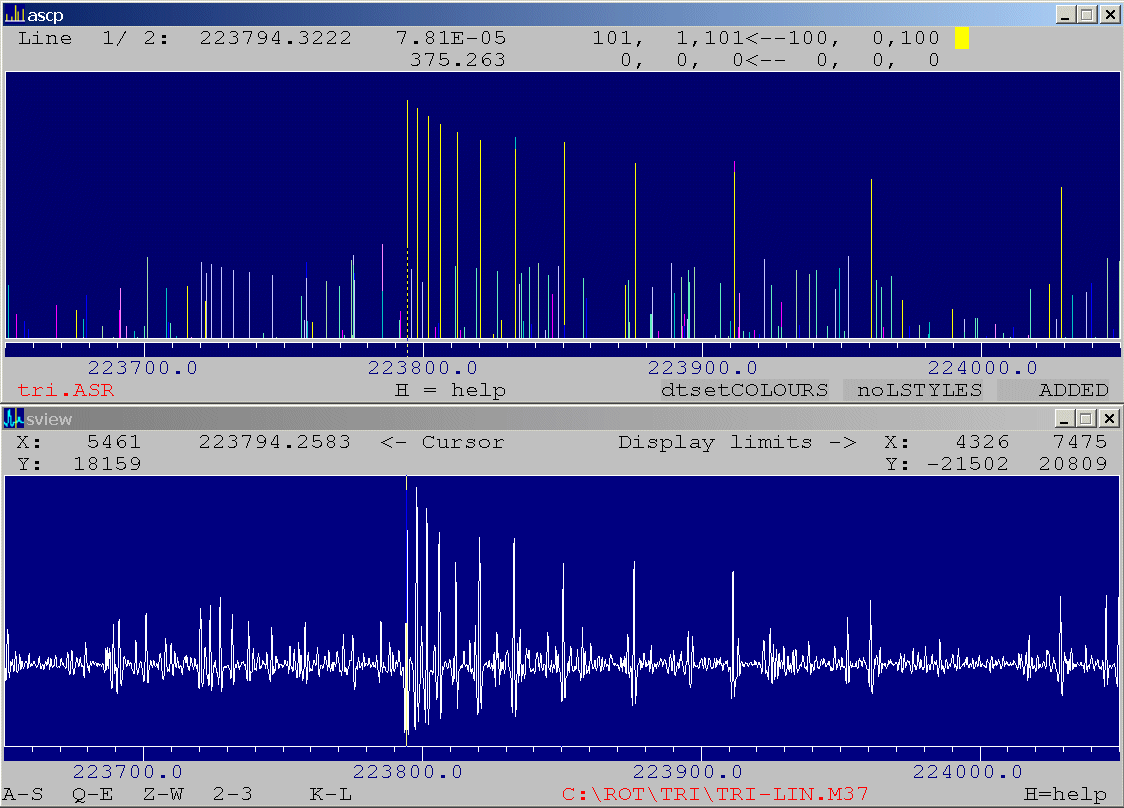
ASCP and SVIEW
can be used to display predictions and spectra in the form of
synchronised strips for easier assignment work - example
- ranges and names of recorded spectra can be
indicated on the plot if the file LIST generated by SLIST is in the same directory as the other input files
Summaries and brief discussions of ASCP are given in J.Chem.Phys. 109,10263-10272(1998)
and
in
J.Mol.Spectrosc. 199,5-12(2000),
which can serve as citations of the use of this program. Various other
examples of its use are referred to at the top of its listing.
|
|
| |
| |
Current version |
| ASCP.FOR |
The listing - this is
the currently supported version of the program, tailored for
compilation with CVF6. The program uses Microsoft graphics and the issues
associated with this are discussed separately. |
| ASCP.EXE |
The CVF6
executable of the above: 100000 lines, 20 data files. Needs about
6.5Mbytes of memory, but runs happily enough on a P120/32Mb/W95 system.
Key properties of the graphics, i.e. window size and the display font
are now read from the file ASCP.CFG (below). The colour depth of the display should be at least
8 bits (256 colours).
Running conditions and installation
are identical to those discussed in connection with SVIEW
Drag and drop operation is possible
on all three input file types, i.e. .ASR, .CAT and .INP. The file can
be dragged onto the ASCP icon and, once file type option is set as required, the
dragged file will be read in and processed appropriately.
Irrespective of the operating
system the program assumes that the default directory for file names
specified in the batch input .INP file is the directory containing that file. The ECHO.ASC file, if
specified, will also end up in this directory.
|
| ASCP.CFG |
Configuration file
for ASCP, which has to reside
in the directory C:\ROT. |
| ASCP_KEYS.PDF |
Summary of command keys for ASCP.
The pairs of cursor keys for scaling and scrolling operations have been
selected on the basis of position on the QWERTY keyboard. The intended
ergonomy of use is perturbed on some other (e.g. German, French)
keyboards, in which case a possible remedy is to switch to the EN
keyboard while using this program.
A byproduct of rapid use of these control keys is
that the user can inadvertently press the Ctrl
Q key
combination,
which
stops
the
program and it no longer responds. If this
happens press Ctrl
S.
|
| |
ASCP Picture Gallery |
| |
Snaps for current
graphics: |
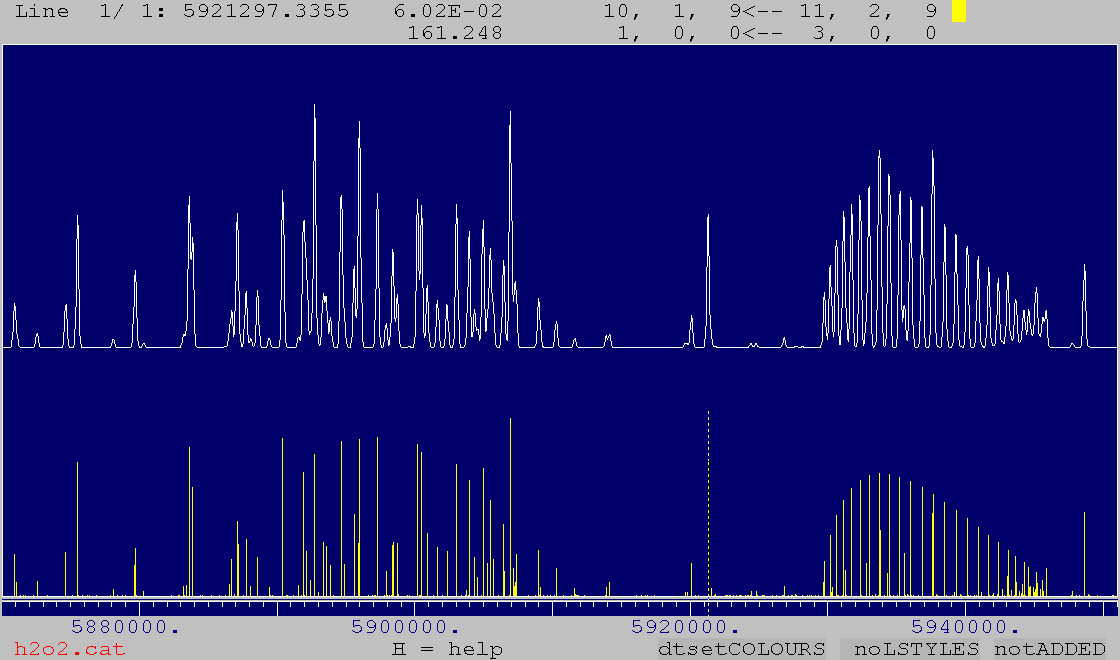
| H2O2.GIF
H2O2.PS |
Display of the .CAT file for H2O2 from the JPL
catalog with a plot of both a stick
diagram and of a simulated spectrum. The first file is an ASCP screenshot and the
second contains PostScript output generated for this display with
option G and the gle package. |
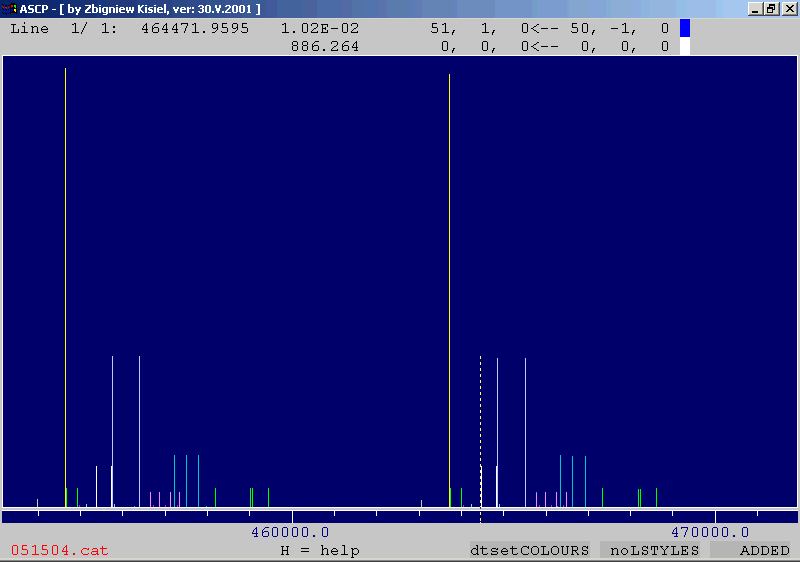
| HCCCN.GIF |
Simultaneous display
of all catalogue files for HCCCN from the Cologne Database. The cursor
displays parameters of one of the J''=50 l-doublets for the
doubly degenerate v6=1 satellite, and all lines of this
satellite are highlighted. Colour coding of datasets is used. |
| HCCCN.INP |
The batch input file
for the above. |
| C2H3NC.GIF |
Display of the
catalogue file for vinyl isocyanide from the JPL
catalog (the file c053007.cat). The
J=41<-40 aR-type
band
is
highlighted,
while
the cursor is positioned on a line of the K-1=5<-4 aQ
band |
| |
Snaps of screens
for older graphics versions: |
| MECN.GIF |
The J=17<-16 rotational
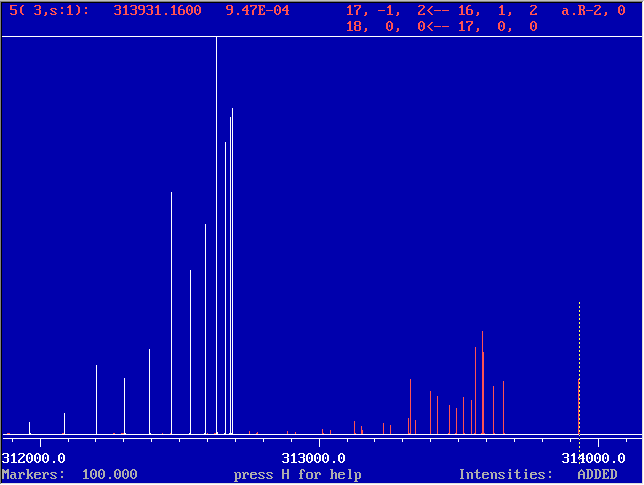
transition of methyl cyanide at 313 GHz and room temperature. The
ground state is highlighted, while the cursor is on the upper Kl-1=0
component
of
the
v8=1 doubly degenerate satellite. Note that
there are five lines under the cursor, due to the hyperfine structure
which is unresolved on this scale. |
| CB.GIF |
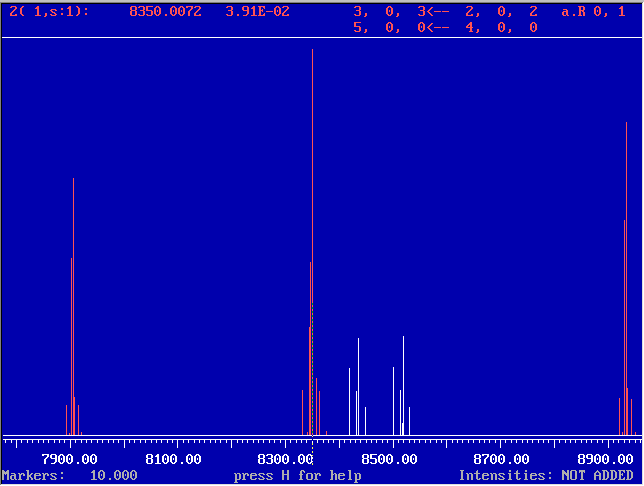
The J=3<-2 transition in the
FTMW spectrum of parent chlorobenzene at 1K with visible chlorine
hyperfine structure. The two K-1=2 transitions
have been highlighted, and the cursor is on the strongest K-1=0
hyperfine
component. |
| R22.GIF |
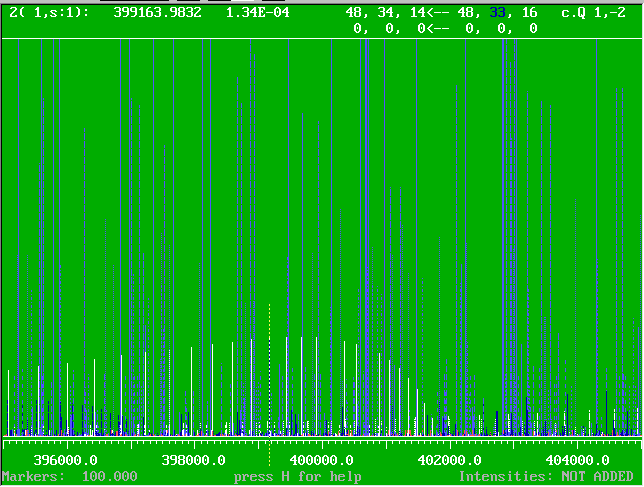
MMW spectrum of the
HCFC-22 molecule (CHF2Cl), with several isotopomers and
vibrational satellites read in. The marking option is used to select
the K=33 Q-branch - see if you can spot it in the
spectrum in Fig.1 of J.Mol.Spectrosc. 184,
150 (1997).
|
| |
Legacy versions |
| ASCP_old.FOR |
Listing of the last
version prior to the use of CVF6 - this is no longer supported since
there are too many differences to keep a common version for all
compilers. This version also has some limits on the size of the quantum
numbers (basically two digits).
This listing and the executables
below are really only kept for use in emergencies.
|
| ASCP_M5.EXE |
Standard compilation
of the above (MSF5, 12000 lines, VGA graphics) - this will run on all versions
of DOS/WIN which allow full screen MS-DOS mode. The program requires
about 530 k of low DOS memory, if there are problems check this with
the MEM/C
command in the DOS window (second number from the bottom) |
| ASCP_PS1.EXE |
MSPS1 compilation of ASCP_old -
more lines (100000) and VGA graphics, requires the DOSXMSF.EXE 32-bit
extender. Run this in full screen mode in an MS-DOS window, in which
the detection of Windows from DOS programs has been blocked |
| ASC.FOR |
The much older
version, which displays six, and not twelve quantum numbers but is not
limited in their values |
| ASC.EXE |
MSF5 executable for the above,
requires the ANSI.SYS utility
of MS-DOS to be loaded.
|
| |
ASCP input/output
examples |
| SAMPLE.INP |
Sample input control
file for reediting. Notes:
- the filenames are to be
specified without any path, ASCP assumes that the data files are in the same directory as the
.INP file
- .ASR and .CAT input files can be mixed
- do not change any of the
descriptive comments at the beginnings of lines as these are sometimes
used by the program when sorting out input problems
|
| KATALOG.PS |
Sample PostScript
output via gle, which demonstrates how ASCP can be used to browse through a suitable catalog of spectral
species. In this case the relative intensities for the various
molecules have been adjusted for comparable intensity. Relative to
standard output only the top comment line has been added, and legends
have been changed from file names to physically meaningful descriptors. |
|
|
|
Back
to the table of programs
| PICKETT |
Programs augmenting
H.M.Pickett's SPFIT/SPCAT
|
|
Crib sheet to
SPFIT/SPCAT
|
You will find below several add-ons that allow easier access to the powerful features of the SPFIT/SPCAT package. These are:
- Several postprocessing programs to deal with output and data
associated with SPFIT/SPCAT. The most often used program from this family is PIFORM, which
is tested regularly against various forms of SPFIT output. There
is always the possibility that it can get caught out by some output
mode, so if this is found to be the case please send then me a note
including the
relevant .PAR, .LIN and .FIT files.
- The Crib-sheet, which is a quick-reference guide to SPFIT/SPCAT arising from
experience gained on using these programs in the IFPAN laboratory.
- An annotated version
of the SPIFT/SPCAT documentation aiming to bring out the internal links
when loaded into contemporary browser plug-ins and to provide easier
access to the program options
|
|
| |
|
64-bit SPFIT/SPCAT executables |
|
The 'official' executables from the jpl distribution
are for 32-bit Windows and produce a "Memory allocation error" message
for Hamiltonian sizes approaching 8000. This is easily overcome on
compilation to 64-bit executables, provided below for both Windows and
Linux. Please note that in both systems the memory requirement can
now exceed the physical memory limit so it is useful to keep track of
the size of the calculation.
|
spfit_ubuntu
spcat_ubuntu
|
Ubuntu (14.04) executables compiled with gcc by using the unmodified Makefile and unmodified source files from the jpl distribution.
|
spfit_64bit_zk
spcat_64bit_zk
|
Windows executables compiled with the "Visual Studio 2013 Community" package and its cl compiler. These executables are in regular use under 64-bit Win7 and Win10.
The original Makefile is incompatible with the nmake command of
the VS package so it was considerably modified. Almost all of the
source files needed changes in the code, but those were fortunately
limited to the requirement for explicit typing of parameters in
subroutine header lines.
These Win64 executables run at about the same speed as the jpl Win32
compilations, while the Ubuntu executables are about 30% faster.
|
|
|
| |
PIFORM |
| PIFORM.FOR |
- This program reformats the .FIT output into a
form with improved readability and closer to the requirements for publishing. For best performance it is recommended that .PAR and .LIN files are available together with the .FIT file. PIFORM will do the following:
- the block of lines is converted into a more compact form that can be used directly in electronic supplementary data,
- the values of constants and
errors are merged into the standard x.xxxx(xx) type notation with selectable number of error digits,
-
standard errors are determined
for the fitted constants,
- it is ensured that a decimal
point is preceded by a leading zero, where necessary,
-
readable correlation matrix is
produced,
- DIAGNOSTIC LISTS: several lists aiding analysis are printed:
1/ a list of worst fitting lines
(at the end of the output),
2/ a list of worst fitted constants,
3/ a list of largest correlation coefficients,
- lines with (obs-calc)>3*err are flagged in the
output so that they can be more easily spotted on scrolling through the
output,
- SUBSET STATISTICS: For the special case of several vibrational states PIFORM can produce a breakdown of data set statistics
according to the value of the vibrational quantum number: separate output lines will be produced for pure rotation
(MICROWAVE) and/or vibration-rotation (INFRARED) data. This example of the pertinent part of such output comes from the recent global fit for the S(CN)2 molecule encompassing mm-wave and synchrotron data as published in J.Phys.Chem.A 117, 13815 (2013).
ANNOTATIONS: It is also possible to add annotations in the .LIN file that will be transferred to the PIFORM output. Such annotations can be added at the ends of transition lines in the .LIN file and do not interfere with the fitting process. Annotations should begin with the character ! or # and encode the following:
-
the character ! generates a separate
annotation preceding the line containing this character. The
annotation line will contain any text that has been placed behind !, until another ! or # is encountered in this line,
-
each additional ! character encountered after a given transition
definition will generate a new annotation line - so that multiline
blocks of annotations can be generated,
-
the character # places the text that follows behind it at the
end of the current line of output. Leading spaces in the annotation are
ignored. Note that the # annotation should follow any ! annotations, if those are used on the same line.
CASE I = Straightforward conversion: this .FIT file leads to this output.
CASE II = Conversion with annotations: the same .FIT file as above, complemented by this annotated .LIN file (when present in the same directory) leads to this annotated output.
Notes:
-
PIFORM started life in 1994 and tried to keep up with the
evolution of output formats of SPFIT. At some point it
automatically recognised several different SPFIT output versions but
this is no longer tested. The program is currently only expected to work as intended with the most recent SPFIT version, dated 2007 in the jpl distribution.
-
You should not have any BAD LINES
in the fit if
the scheme for transferring annotations from the .LIN file is to work
properly.
|
| PIFORM.EXE |
Win32 executable
|
| piform |
Ubuntu (v18.04) executable compiled with gfortran (v7) using the command:
gfortran -fno-automatic -std=legacy piform.for -o piform
|
piform_u20gf9
|
Ubuntu (v20.04) executable compiled with gfortran (v9) using the command:
gfortran -fno-automatic piform.for -o piform
|
| piform_u22gf11 |
Ubuntu (v22.04) executable compiled with gfortran (v11) using the command:
gfortran -fno-automatic piform.for -o piform
|
| |
PISLIN |
| PISLIN.FOR |
- This program can perform two
different types of operations on .LIN files used by SPFIT:
- Checks for line duplication
and for components of blended lines existing in different parts of the
dataset.
The identified problems are listed in file PISLIN.OUT
and can then be corrected manually (recommended) or
automatically. This is a continuously used feature of the program
and you will be surprised how many small errors can be found in a
dataset of any reasonable size.
- Sorting of the .LIN file according
to value of any quantum number, change in quantum number, frequency and
magnitude of error.
The sorting operations can be cumulated
as many times as necessary by means of subsorting within the criterion
of an immediately preceding sort. Principal options, selectable in the on-line menu:
-2 = error sort
-1 = frequency sort
0 = EXIT
1-12 = quantum number sort
20 = sort by selection rule
30 = sort by transition sequence
One possible task is to sort lines
into blocks for a given vibrational label, such that in each block
lines are sorted into blocks of P-, Q-, and R-type
transitions,
each
such
sub-block
is sorted in Ka,
and each Ka sub-block is then sorted in J.
The
program
only
rearranges
the ordering of .LIN file lines, so
formatting and annotations in those lines are preserved.
|
| PISLIN.EXE |
Win32 executable
|
| |
PICHAM |
| PICHAM.FOR |
- This is a reformatting program
designed to make it easier to check the actual Hamiltonian matrix
elements set up for a given parameter in the .PAR file, or just to check the form of the Hamiltonian.
- PICHAM
works on SPCAT output and the procedure for checking the numerical
values of Hamiltonian elements associated with a given parameter is as
follows:
- In a .VAR file generated for the problem of interest a) zero the values of all parameters of no interest by setting them to 0.00E+000, b) Set the value of the parameter of interest to unity.
- Run SPCAT by setting EGYFLG in the .INT file to 5 in order to
obtain a Hamiltonian dump with no diagonalisatio.
- Run PICHAM on the
resulting .EGY file. Output will be written to the corresponding .HAM file, which
contains an echo of the constants used for the calculation, followed by
Hamiltonian matrices in square form, block by block. Full state
labelling of up to six labels is supported.
The example files HTEST.VAR, HTEST.EGY, HTEST.HAM show you how you can check that in the prolate asymmetric
rotor Hamiltonian the A rotational constant has matrix
elements equal to K2. The E+, E-, O+, O-
factorisation is also nicely visible.
An alternative use of PICHAM is to check the general shape of the Hamiltonian using an unmodified .VAR file to generate the .EGY
file. Standard numerical form is used for H sizes compatible with
reasonably comfortable inspection on a monitor or paper printout.
NEW May 2018: Larger matrices are
displayed in a condensed graphical form giving insight into the form of
more complex Hamiltonians. The file FBENZ_FAB.HAM contains both types of output and illustrates H for the case of two vibrational states connected by ΔK=±1 Coriolis coupling matrix elements.
|
| PICHAM.EXE |
Windows executable.
|
|
PISORT |
| PISORT.FOR |
- To extract and to sort
calculated transitions from the .OUT output from SPCAT. The lines are
sorted in frequency and output can be to either:
- frequency sorted set of
unmodified .OUT lines
- data file compatible with the .ASR standard as
used by ASROT. This can then be viewed graphically with ASCP (although note that ASCP can now read .CAT files directly)
Intensities can be
recalculated for a different specified temperature, but it is assumed
that the SPCAT output is for 300K. Some rudimentary filtering of the
data into subsets of interest is possible and can be extended.
|
| PISORT.EXE |
Windows executable to process files with up to 100000 lines,
graphics is not used but a 32bit compiler is required because of
internal storage requirements.
|
|
LINFIL = .LIN file checks and filtering |
|
- This program performs various filtering operations on the data lines in the .LIN file. LINFIL can:
- pass only data lines within a specified range of values of any of the twelve quantum numbers (options 1 to 12),
- discard lines for a specified range of values of a given quantum number and for a specified change of such values relative to another quantum number,
- discard data lines with value IA of quantum number NQA and value IB of quantum number NQB (option 100)
- pass data lines within a given frequency range (option -1),
- pass data lines within a given range of declared frequency uncertainty (option -2),
- modify line frequencies by a specified increment (option -3)(option -6),
- modify errors or filter out lines based on the current value
of the error and various additional conditions (options -4, -5, -8, -9),
- do not subject a block of legacy lines at the top of the .LIN file to any of these operations (option -7)
- unify the formatting of the .LIN file (option 555)
As many operations as necessary can be declared. Filtering
operations are carried out on the fly on each line in turn and are in
the order of increasing absolute value of the filtering parameter. Complete list of options:
NQ,IA,IB pass lines with values of quantum
number
NQ
from IA to IB (NQ can be from 1 to
12)
50+NQ,IA,IB,NQA,NNQ filter out lines that:
1/ have values of quantum number NQ from IA to IB
2/ AND have change NNQ = NQA-NQ between NQ and NQA
Examples for four quantum numbers per energy level
(asymmetric rotor J,Ka,Kc,v):
55,50,150,1,0 Q-branch transitions with J>50
56, 0, 3,2,1 Delta Ka=1 transitions with Ka=0,3
100,NQ1,NQ2 filter out lines with value IA of quantum
number
NQA
AND value IB of quantum number
NQB
specified by
NQ1=1000*IA+NQA
NQ2=1000*IB+NQB
-1,A,B pass lines with
frequencies between A and
B
-2,A,B pass lines with
errors between A and
B
-3,A,B modify frequency:
frequencies of all lines with error
A
changed by frequency increment
B
-4,A,B modify error: all
lines with error A changed to error
B
-5,A,B,C modify error: all lines with
frequency between A and B
are
to be assigned error
C
-6,A,B,C modify frequency: all lines with frequency between A and B are
to be changed by frequency increment
C
-7,A do not
subject lines from 1 to A to any of the
filtering
operations so that a block of legacy lines can be kept
unchanged
at the top of the .LIN
file
-8,N1,N2,EOLD,ENEW
conditional change of error from EOLD to ENEW, with the line
specified by
1/ selection rule: N1 = 1000000*NQ1 + 1000*NQ2 +
(NQ1-NQ2)+10
2/ range of qn values: N2 = 1000000*NQ + 1000*NQMIN +
NQMAX
Note that ENEW=0.0 specifies that the line is to be filtered
out
-9,N1,N2,N3,EOLD,ENEW
conditional change of error from EOLD to ENEW, with the line
specified by:
1/ selection rule between specified quantum number pair
defined by:
N1 = 1000000*NQ1 + 1000*NQ2 +
(NQ1-NQ2)+10
2/ two different selected quantum numbers and their values
defined by:
N2 = 100000000*NQ1 + 100000*NV1 + 1000*NQ2 +
NV2
3/ range of values of additional selected quantum number defined by:
N3 = 1000000*NQ + 1000*NQMIN +
NQMAX
Note that ENEW=0.0 specifies that the line is to be filtered
out
Example for an asymmetric rotor with a specified v quantum number
(i.e. four quantum numbers per energy level):
1005010 Q-branch
transitions
1005011 R-branch
transitions
1005009 P-branch
transitions
800207010 v"=2 and
Kc"=10
5010050 J" from 10 to
50
555 write
output in the format used by AABS (columnwise
unification
of
formatting)
0 termination of filtering declarations
|
| LINFIL.FOR LINFIL.EXE |
The source listing and Win32
executable.
This is a console-type program so it is best launched from the Command
Prompt (MS-DOS type) window opened on the directory containing the .LIN file to be filtered. Running:
- use a text editor to prepare a suitable LINFIL.INP file,
- run the program by typing LINFIL,
- the program will first look in the current directory for the LINFIL.INP
file, which is to contain the name of the .LIN file to be filtered,
the name of the output file for passed lines, and the list of filtering conditions,
- the lines matching the filtering
criteria are written to the file declared in LINFIL.INP, rejected lines are written to
LINFIT_CUT.OUT
|
| LINFIL.INP |
Control file for the program to be
reedited as necessary. Instructions for setting up this file are
contained at the top of the program listing.
|
|
CATFIL = .CAT file filtering
|
|
- This program is similar to LINFIL and performs various filtering operations on the predicted lines contained in the .CAT file. The .CAT
file is assumed to have six quantum numbers per energy level. The
filtering options are declared in a simple ASCII control file, such as
the example CATFIL.INP given below. CATFIL can filter lines according to a combination of many different options:
- option 1-12: only retain .CAT lines for a specified range of values of any of the twelve quantum numbers,
- option 6-12+100: only retain lines with a specified change in any of the six quantum numbers of the lower level,
- option 200: only retain lines for levels with Ka+Kc=J or Ka+Kc=J+1,
- option 300: change all values of a specified quantum number to a given fixed value,
- option 400: reject lines with specified values of two different quantum numbers
- option 999: append a specified string to the first line of the output file,
- option -1: only retain lines with frequencies in a specified range,
- option -2: only retain lines with calculated uncertainties in a specified range,
- option -3: only retain lines with calculated intensities in a specified range,
- option -4: convert frequencies from MHz to cm-1 and filter those within a specified range.
As many operations as necessary can be declared. Filtering
operations are carried out on the fly on each line in turn and are in
the order of increasing absolute value of the filtering parameter.
The lines matching the filtering
criteria will be written to the output file declared in CATFIL.INP, rejected lines are written to
CATFIL_CUT.OUT, and problematic lines not recognised by the program end up in CATFIL_REJECTED.OUT.
|
| CATFIL.FOR CATFIL.EXE |
The source listing and Win32 executable.
Launch the program from the Command prompt window. The program
will look (in the current directory) for the file CATFIL.INP, which is to contain the required control information. |
| CATFIL.INP
|
Control file for the program to be
reedited as necessary. Instructions for setting up this file are
contained at the top of the program listing.
|
|
PMIX and PMIXC
|
|
- These two programs allow graphical
identification of resonances between energy levels in different
vibrational states by plotting distribution plots of the quantity (1-Pmix) from values of the mixing coefficients Pmix tabulated in the .EGY file produced by SPCAT. These programs are only the first step in the procedure, which requires the use of suitable scripts for the gle program to produce the final diagram.
- The mixing coefficient Pmix reflects eigenvalue purity so that its complementary quantity (1-Pmix) describes the amount of perturbation experienced by a given energy level. The perturbations occur within a given J-block of the Hamiltonian matrix and,
in suitably constructed distribution plots, give rise to similarly
shaped islands of perturbations in each of the two interacting states. Such islands are centered on the same value of J, but are at different values of Ka, with Ka for the upper vibrational state being lower.
PMIX splits data
for each vibrational state into seven bins and plots points with marker size increasing for each
successive bin. Examples of the use of this procedure are:
-
2-state coupling in ClONO2: J.Mol.Spectrosc. 243,1 (2007)
-
3-state and 4-state coupling in S(CN)2: J.Mol.Spectrosc. 246,39 (2007)
-
3-state coupling in ClONO2: J.Mol.Spectrosc. 254,78 (2009)
PMIXC allows drawing contour plots as was used for
-
4-state coupling in acrylonitrile: J.Mol.Spectrosc. 280,134 (2012)
|
|
|
| PMIX.FOR PMIX.EXE |
The source listing and Win32 executable.
Launch the program from the Command prompt window. The program
requires that the file PMIX.INP is present in the current directory.
|
| PMIX.INP |
A simple single line ASCII file containing seven values of (1-Pmix)
defining the data bins. Only the first line of this file is read,
the remainder can be used to keep alternative versions.
WORKED EXAMPLE: The distribution plot of mixing coefficients is
most useful when combined with a matching distribution plot of obs-calc
values. The files below allow reproduction of Fig.1 of J.Mol.Spectrosc. 243,1 (2007)
|
| clono2_v5v69.egy clono2_v5v69.res |
The two primary source files:
- The .EGY file is out of SPCAT and is to be used as input for PMIX. The run results in 14 data files with names beginning with PM
- The .RES file is produced by PIFORM and is a reformatted .FIT
file from SPFIT. This needs to be converted to data files for the
distribution plot of obs-calc values with the use of the
program AC. Two runs of AC
are necessary: to filter out transitions according to the fourth
quantum number with values 0,0 and then with 1,1. This should
result in data files with names beginning with AC
|
| clono2_v5v69.gle |
The .gle script, which uses all the .DAT files produced from the two source files above |
| clono2_v5v69.pdf |
The resulting diagram produced with the Export option of QGLE |
|
|
| PMIXC.FOR PMIXC.EXE |
The source listing and Win32 executable.
WORKED EXAMPLE: The sample files below allow reproduction of Fig.8 of J.Mol.Spectrosc. 280,134 (2012)
|
| V0AB2.EGY |
The .EGY file, which is to be specified as input for PMIXC. The run results in four .OUT files for further use in the plotting procedure |
| FIG8_TALL.GLE |
The .gle script, which converts the four .OUT files from PMIXC into a multitude of intermediate files and the final contour diagram.
The script is an ASCII file and can be modified as required with any text editor. The contour values, for example, are defined in the values lines in the contour blocks.
|
| FIG8_TALL.PDF
|
The resulting diagram produced with the Export option of QGLE
|
|
|
|
PICONTR = Parameter Contributions to transitions
|
|
To determine and print contributions from
selected parameters to frequencies of transitions included in an SPFIT
fit. This is yet another aid in planning measurements or
understanding the results of fit. The program is similar to VICONTR available for RAM36hf. Parameter contributions are also available in ASFIT.
The frequency contributions are worked out from the complete set of parameter derivatives produced by SPCAT and written in the .EGY file. The procedure for using PICONTR:
- Perform a fit with SPFIT,
- Convert the .FIT output to a .RES file with PIFORM,
- Run SPCAT with EGYFLG=2 set in the .INT file. This will produce an .EGY file with derivatives of energy levels with respect to all parameters specified in the .PAR file (whether fitted or not),
- Run PICONTR having first edited its mandatory control file (example below) with suitable file names for input an output.
Some operational details:
Information on transitions for contributions comes from the SPFIT results file as reformatted with PIFORM (usually given the extension .RES)
Small difference in formatting of the .RES file is used to distinguish between microwave and infrared transitions (and their default units of MHz and cm-1)
Information on parameters of fit comes from the .PAR file for the fit.
For this reason it is crucial to ensure that the .PAR, .EGY and .RES files correspond to the same fit.
The output file is basically the .RES file with parameter contributions appended to each transition line.
Some parameter declaration schemes have not been tested.
Do not expect frequency contributions to be exactly additive to
transition frequencies, even if contributions for all parameters are
used. These are, after all, evaluated from derivatives. On
the other hand sensible additivity is apparent for simpler cases.
|
| PICONTR.FOR PICONTR.EXE |
The source listing and Win32 executable.
Launch the program from the Command prompt window. The program
requires that the file PICONTR.INP is present in the current directory. |
| PICONTR.INP |
Control file for the program containing input and output file names, which is to be
reedited as necessary.
|
ABC+quartic
sextics
|
Examples for a straightforward asymmetric rotor
fit. This is for fluorobenzene and the data set is for the sextic
level fit available in the Our Data section.
The ASFIT data file has been converted to SPFIT inputs using one of the output options of ASFIT.
|
ASFIT_ABC+quartic
ASFIT_sextics
|
The same contributions as worked out with ASFIT,
serving as a double check. Relevant parts in these outputs are below the
correlation coefficients block.
|
|
|
|
IC = Intensity Correction of broadband spectra
|
|
The purpose of the program is to unify the intensity of
the spectrum in order to compensate for unavoidable, and often large,
apparent intensity variation. The correction is applied on the basis of a
user supplied table of calibration points. These are connected by IC with a cubic spline function, which is then used for the actual intensity correction.
The spline function is smooth by design so that only a moderate number
of calibration points is required. Possible problems with the
calibration points can be rectified by inspecting the spline function
for unexpected excursions, and rectifying the calibration point table.
Two modes of operation are available:
- 1 = amplification i.e. multiplying the intensity of the spectrum using a table of (frequency, amplification) values
- 2 = Detector response correction i.e. dividing the apparent intensity of a line by the calculated intensity of this line.
|
|
|
|
INPUT files:
1/ ic_input.spe = spectrum that is to be rescaled, which has to be in the IFPAN binary standard
2/ ic_input.fre
= an ASCII (i.e. text) file containing data points to be used for
rescaling the spectrum. This file can have one of two forms:
either a simple two column (frequency,intensity) format, when the interpretation of intensity values is decided on program operation,
or an extended .FRE standard of SVIEW_L peakfinder entries generated using the F8 option of ASCP_L, for which linked AABS operation of spectra and predictions is necessary. The quickest use of the F8
option is to highlight a strong transition sequence and measure it line
by line. All components of blended transitions have to be
measured (typically as pairs)
NOTE: frequencies do not have to be sorted - this is carried out by the program. Files generated with option F8 are best reduced to two column format, leaving the frequency and Iobs/almax columns. This is because the format of the F8 output as executed within SVIEW_L keeps getting changed according to current requirements.
|
|
OUTPUT files, all of which can be inspected with SVIEW_L (the .OUT files are two column ASCII, while the spectrum can be ASCII of IFPAN binary):
1/ ic_input.out
= x,y listing of frequencies and scaling coefficients i.e. values of
obs/calc intensity scaled around the mean value (blends are combined and
intensity is scaled such that the mean value is unity)
2/ ic_spline.out
= x,y listing of the calculated spline function at 10 times the point
spacing in the spectrum (which may still result in a very large file)
3/ user named output spectrum
|
IC.FOR
IC.EXE |
The source listing and Win32 executable.
Launch the program from the Command prompt window. The program
only requires two input files, ic_input.spe and ic_input.fre to be present in the current directory. |
|
|
| |
Some other programs |
| LINASF.FOR LINASF.EXE |
Converter of line information from
the standard in .LIN files to
that of .ASF files used by the ASFIT
program. All quantum numbers other than the three asymmetric top
quantum numbers per level are discarded.
Note that ASFIT has a built in feature for converting its input file into the .PAR and .LIN file pair for use by SPFIT.
|
| CATBAND.FOR CATBAND.EXE |
This is a program
similar to ASRBAND
and serves to place line sequence/band markers on diagrams of spectra
drawn with gle. Documentation is at the top of the
program listing.
|
| PISFIT.FOR |
To extract from the .FIT output those
lines which have obs-calc deviation in excess of a specified criterion
- useful for large data sets. A similar feature is currently also
available in PIFORM.
|
| |
CRIB sheet |
| CRIB.HTM |
This is a Crib sheet for
SPFIT/SPCAT,
which
may
be
used in addition to HMP's documentation
contained in http://spec.jpl.nasa.gov/ftp/pub/calpgm/spinv.pdf
Please note that another
clarification effort is available on the Cologne group website at http://www.astro.uni-koeln.de/cdms/pickett
|
|
|
|
Back
to the table of programs
| CONVC |
CONVersions
of
asymmetric
rotor
Constants
|
| PLANM |
PLANar
Moments etc..
|
CONVC
carries out the following conversions of asymmetric rotor constants:
- Watson Ir,S to
Watson Ir,A
- Watson Ir,A to
Watson Ir,S
- vanEijck,Typke to Watson A
- Kirchhoff to Watson A
- Watson Ir,A to
Watson IIIr,A
- Watson Ir,A to
Watson IIr,A
- Watson IIIr,A to
Watson Ir,A
- Watson IIr,A to
Watson Ir,A
Some
of these conversions work up to sextics, and some convert errors. This
program tends to be modified as
necessary. NOTE: left,right difference for a given representation in A-reduction is in reversed signs of off-diagonal centrifugals, namely δJ, δK, φJ etc.
Several
options have been added more recently to clarify output of quartics
from the Gaussian program, which may choose a representation different
from that used for fitting measured rotational transitions.
PLANM is
just a handy calculator for some quantities derivable from rotational
constants. Input is from the keyboard, output is to screen and is
echoed to file PLANM.OUT. The most useful application of this program is to calculate the inertial defect and its error.
|
|
| |
| CONVC.FOR |
The
listing. The data is to be in the .CON format as generated by ASFIT for use by ASROT. The only difference is that a comment line should be inserted before the line specifying the number of constants.
Main output is to screen and is also appended to
the file CONVC.OUT. Additional output in the .CON format is appended to CONVC.CON. |
| CONVC.EXE |
Windows executable |
| TRI.CON |
Sample constants file for use with
CONVC |
| CONVC.OUT |
Output for Watson's A-S
conversion of the above, compare with refitted values in Table 2 of J.Mol.Spectrosc.
178,125(1996) |
| |
|
| PLANM.FOR |
The listing |
| PLANM.EXE |
Windows executable |
| PLANM.OUT |
Sample output |
|
|
|
Back
to the table of programs
| PLAN |
Quadratic, quartic and
sextic PLANarity relations for an asymmetric
top
|
This
program explores the validity of various order planarity relations in
Watson's reduced Hamiltonian (reduction-A, representation Ir),
using
the
formulae
from
Watson, J.Mol.Spectrosc. 65,
123
(1977).
Input requires sextic-level constants to be in a file in the standard
as written by ASFIT. PLAN will read errors in constants and propagate them
appropriately into errors in the quadratic, quartic and sextic planarity defects Di, Dq, Ds.
The output is in the form as used in a comparison of such moments for
several molecules, made in Table 3 of Kisiel, Pszczolkowski, Z.Naturforsch.
50a, 347 (1994). Output is written
to screen and is also appended to the file PLAN.OUT.
|
|
| |
| PLAN.FOR |
The
listing. |
| PLAN.EXE |
An executable for any DOS/Windows. |
| TRI.CON |
Constants file for ground state
trichloroethylene from J.Mol.Spectrosc. 178,125(1996). |
| PLAN.OUT |
The output for the above. Note
that the sextic defect is not determined with significance even though
the sextics are quite precise. |
|
|
|
Back
to the table of programs
|